Admin Dashboard Overview
What admin users see and can manage.
Admin Overview
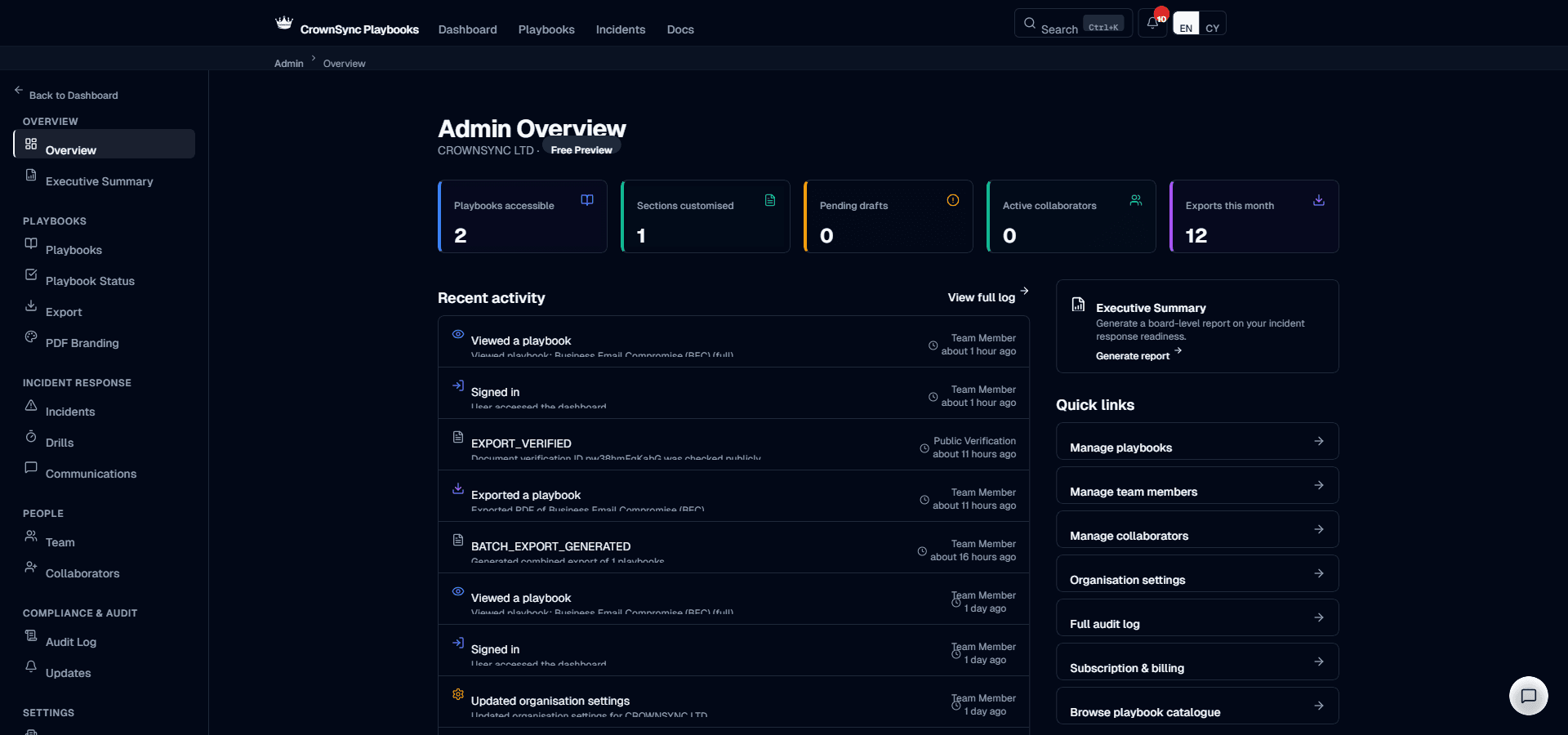
The Admin section of CrownSync Playbooks provides organisation-level management tools for users with the Owner or Admin role. From here you can manage your team, configure organisation settings, review the audit log, manage external collaborators, and control how your playbooks are exported and branded.
Accessing the Admin Section
The Admin section is accessible from the sidebar navigation. If you have the Owner or Admin role, you will see an Admin menu item in the sidebar. Members with the standard Member role do not see this menu item and cannot access admin pages.
Sidebar Navigation
The Admin sidebar contains the following pages:
- Team — Invite members, change roles, remove members, and manage pending invitations
- Collaborators — Invite external collaborators, assign section access, enforce MFA, and revoke access
- Audit Log — View the immutable record of every action taken on the platform
- Executive Summary — Generate board-ready reports covering playbook coverage, drill history, and incident records
- PDF Branding — Configure logos, classification markings, and custom header text for PDF exports
- Batch Export — Export multiple playbooks as a combined PDF or ZIP archive
- Organisation Settings — Update company details, sector, technology stack, and incident command model
- Subscription — View your current plan and feature comparison (Owner only for billing changes)
Key Capabilities
As an administrator, you have access to capabilities that directly affect how your organisation uses the platform:
- Team management — Control who has access to your organisation's playbooks and what they can do. You can invite new members, change roles between Admin and Member, and remove members who no longer need access.
- External collaboration — Grant temporary, section-level access to consultants, auditors, and other third parties without creating full accounts for them.
- Audit and compliance — The audit log provides a complete, immutable record of every action taken on the platform. This is essential evidence for ISO 27001 audits, Cyber Essentials assessments, and regulatory inquiries.
- Export and branding — Control how your playbooks appear when exported as PDFs, including your logo, classification markings, and watermark text.
- Organisation profile — Keep your organisation's details up to date to ensure playbook content and communication templates are correctly personalised.
Information
Changes made in the Admin section take effect immediately for all team members. For example, changing a member's role instantly updates their permissions, and updating your organisation profile immediately adjusts playbook content personalisation.
Was this page helpful?